XXupra
Products

Guard Security

Guard is the security pillar inside DryLake.

DryLake combines Agent Control and Guard in one workflow. Start with a local scan for MCP servers, extensions, prompt-injection risk, secrets, and blast radius. Upgrade to Paid when you want approved upload, Fix with AI, Deep Cloud Analysis, saved reports, or Local Watchdog.

Local Guard scan

Free workspace security report inside the VS Code extension.
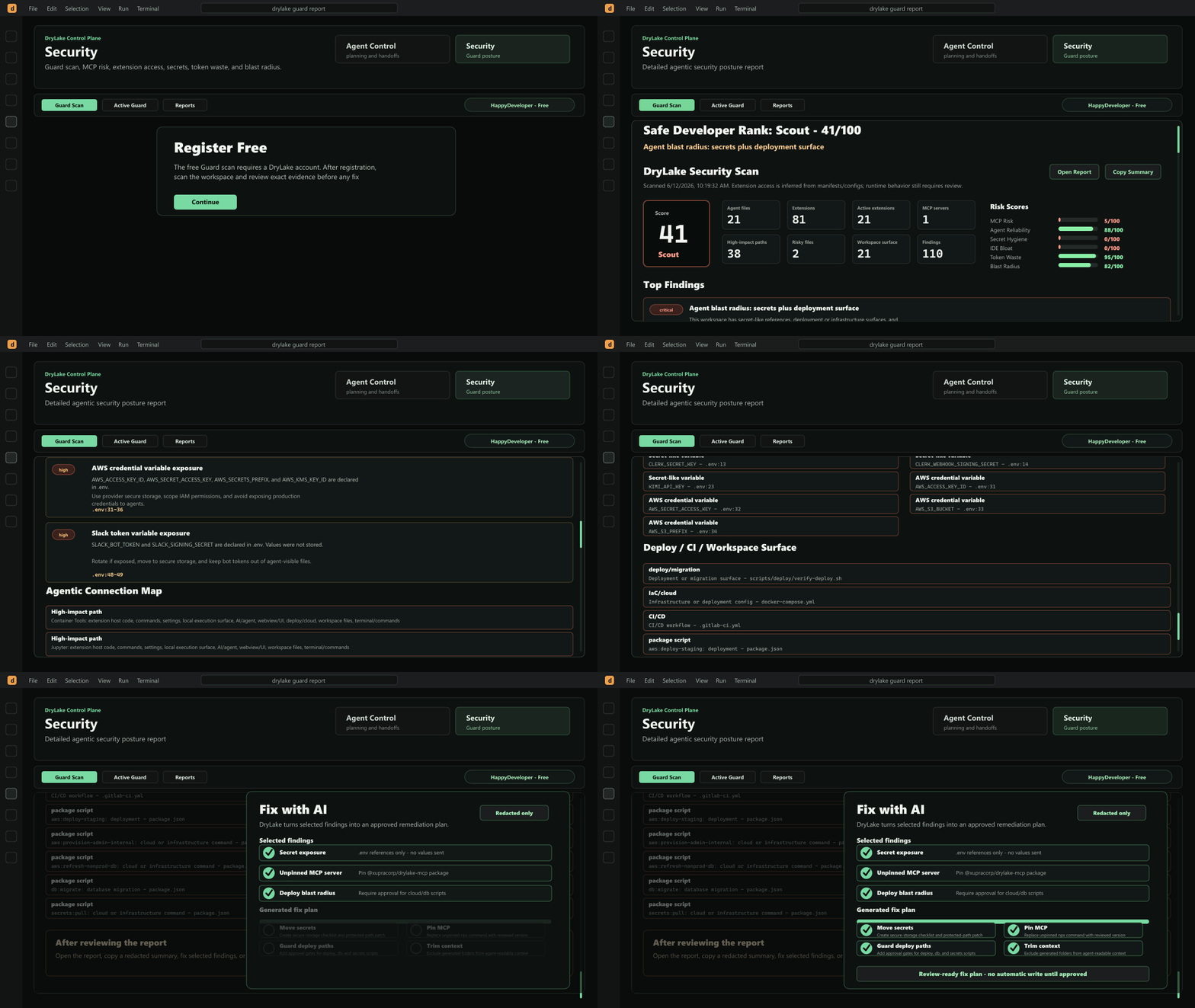
Free
DryLake Guard workflow overview

Paid Guard

Fix with AI, Deep Cloud Analysis, saved reports, and Watchdog.
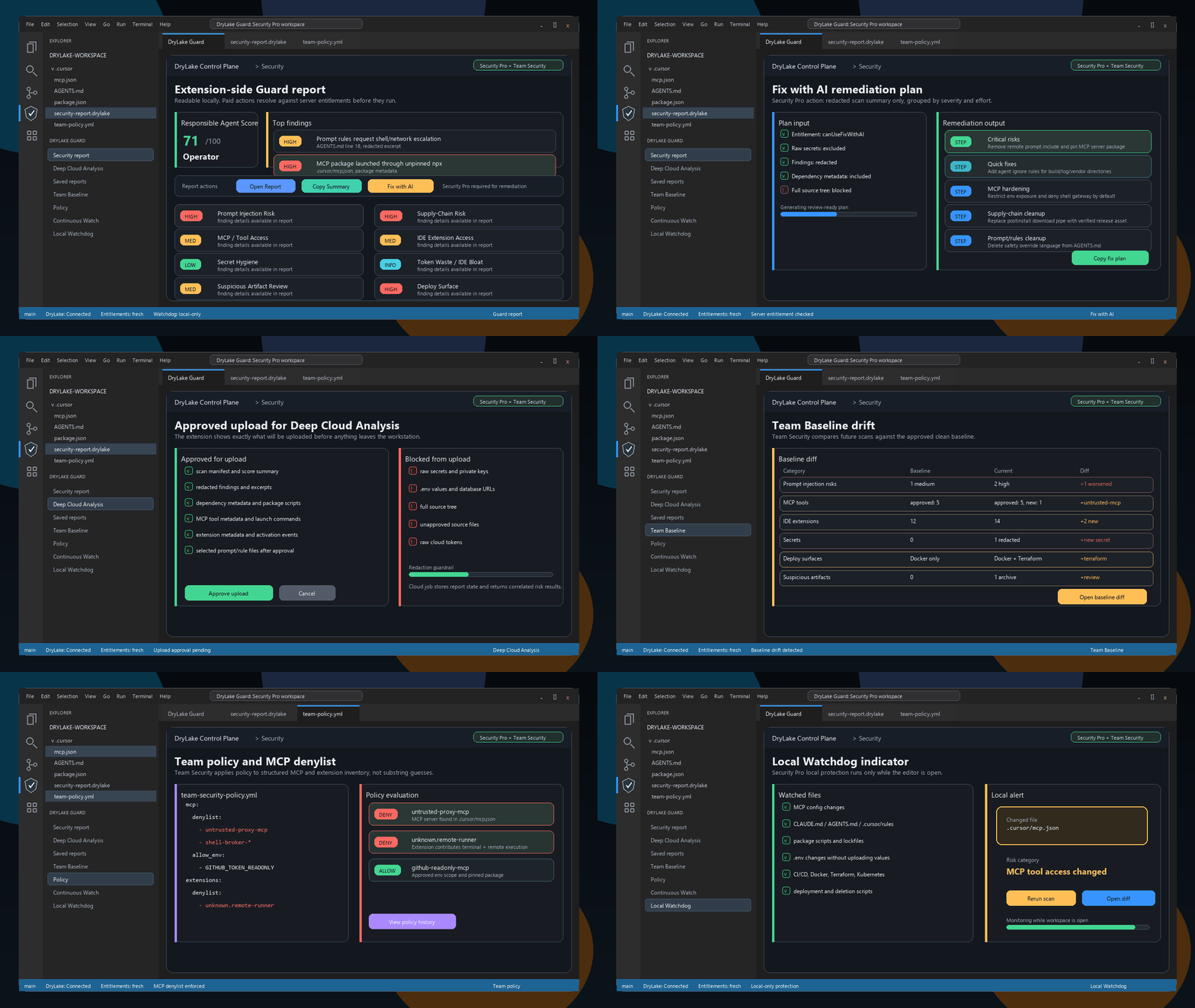
DryLake Guard paid features overview

Agent Control

Guard sits beside planning, phase handoffs, and agent execution.
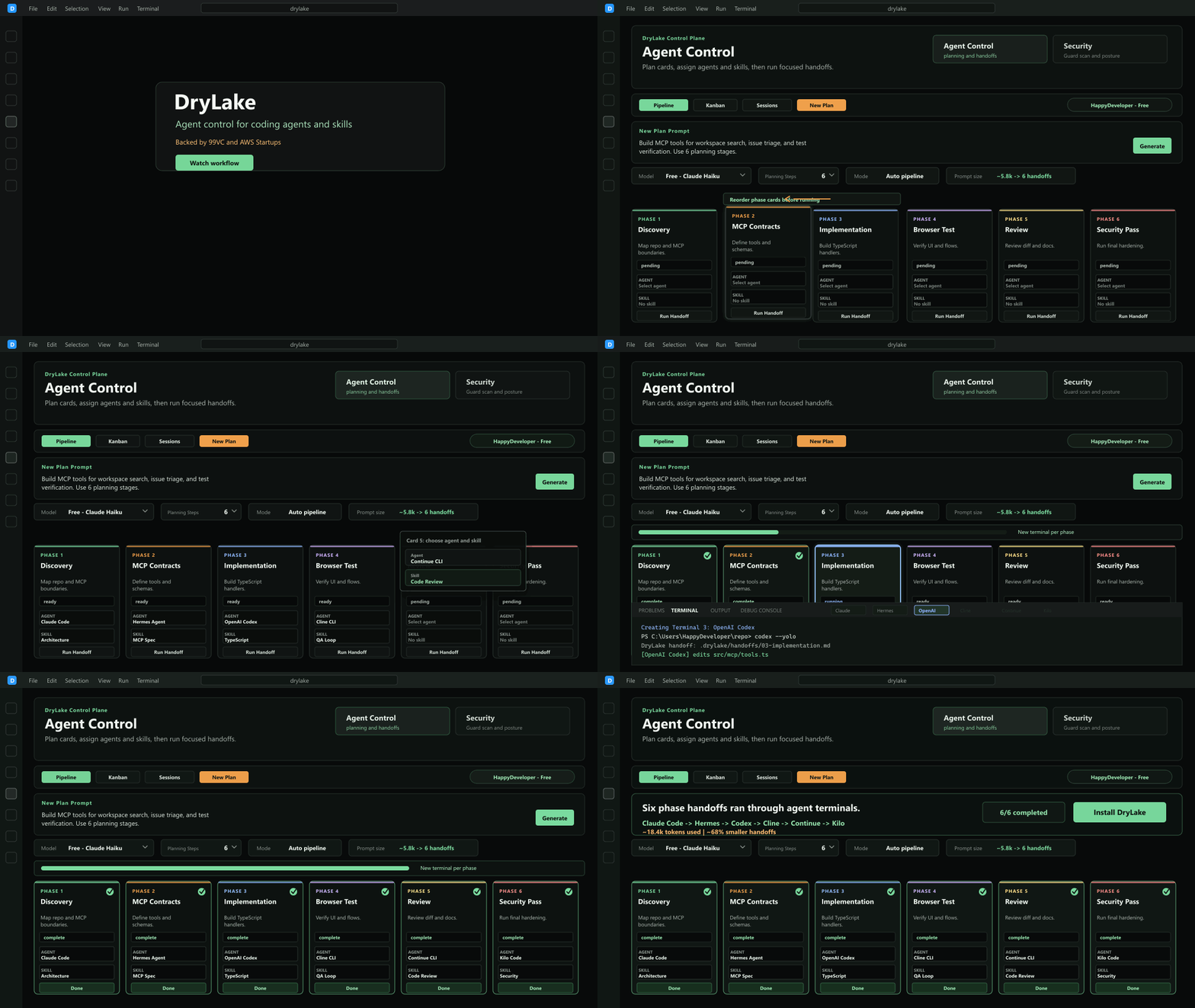
DryLake Agent Control workflow overview

What Guard scans locally

The first decision stays in the editor.

Guard is designed so the user can inspect agent risk before they choose any paid upload or team-level workflow.

MCP servers, commands, and config paths
IDE extensions and publishers
Skills, rules, prompts, and risky workspace artifacts
Secrets, .env exposure, and private-key signals
Blast radius and suspicious workspace surface changes

Free local Guard

Run the extension locally, scan your workspace, inspect Guard findings, and keep the first security pass inside the editor.

Local scan
Local report review
Extension connection
No paid upload required

Paid DryLake

Approve redacted upload when you want Fix with AI, Deep Cloud Analysis, saved reports, and personal paid remediation workflows.

Approved upload
Fix with AI
Deep Cloud Analysis
Saved personal reports
Local Watchdog

Guard for Teams

Share the security workflow across the organization with baselines, policy, recurring drift checks, and shared report history.

Shared reports
Team Baseline
Team policy
Continuous Watch
Recurring drift history

Approval and trust boundary

Paid upload is explicit and reviewable.

Local Guard scan runs before paid cloud analysis is even relevant.
Approved upload uses redacted findings and structured metadata only.
Raw secrets, .env values, private keys, and full source files are not uploaded by default.
Saved reports separate personal history from team-shared security state.
Guard for Teams adds policy, baselines, and recurring watch checks rather than replacing local review.

What Guard for Teams adds

Shared drift and policy review for the team.

Detect new MCP tools and extensions against the established baseline.
Record baseline drift, suspicious artifacts, and policy violations in one place.
Re-open saved reports on the website and compare them against team history.
Treat Guard as an operational review surface, not just a one-time scan.